Photon Emission
When an integrated circuit is in operation, the zones requested by the routine are naturally emitting infrared photons through the back side. Alphanov’s photon emission optical bench enables to capture and visualize these photonic emissions in order to obtain a precise understanding of the circuit activities.
Product reference: Photon Emission laser bench
Collect photons naturally emitted by the integrated circuits
Two distinct photon emission analysis techniques can be integrated into a single microscope: high-sensitivity camera imaging and avalanche photodiode photon counting. These complementary methods provide both spatial and temporal data on photon emission activity.
Photon Emission Imaging
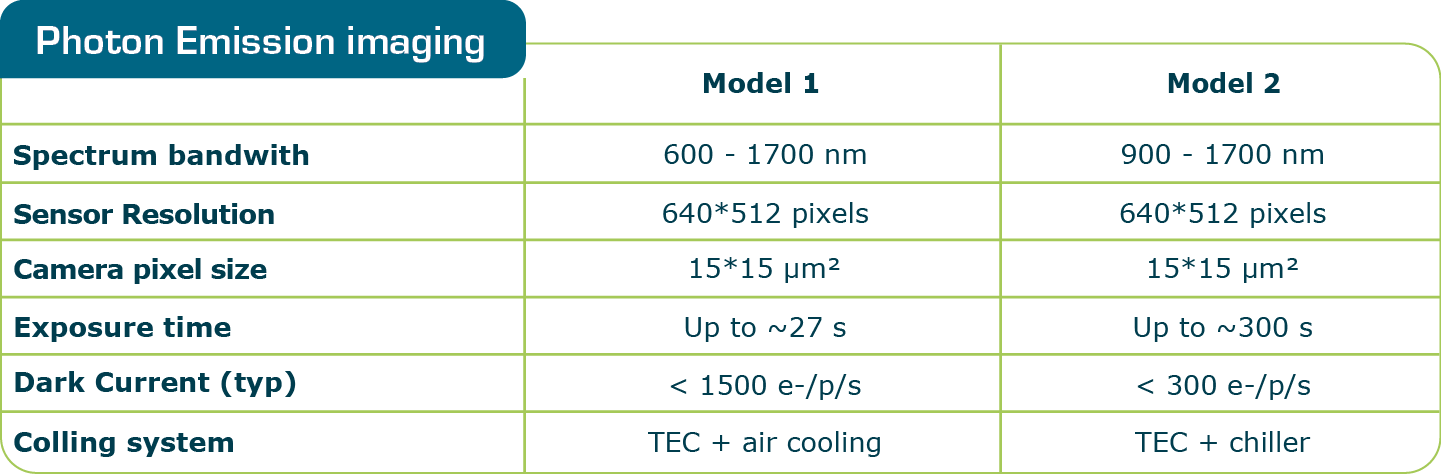
Based on high sensitivity cameras, this tool is useful for locating key active areas and deciding where to carry out fault injection or position side-channel probes. The two available camera models are presented in the table below :
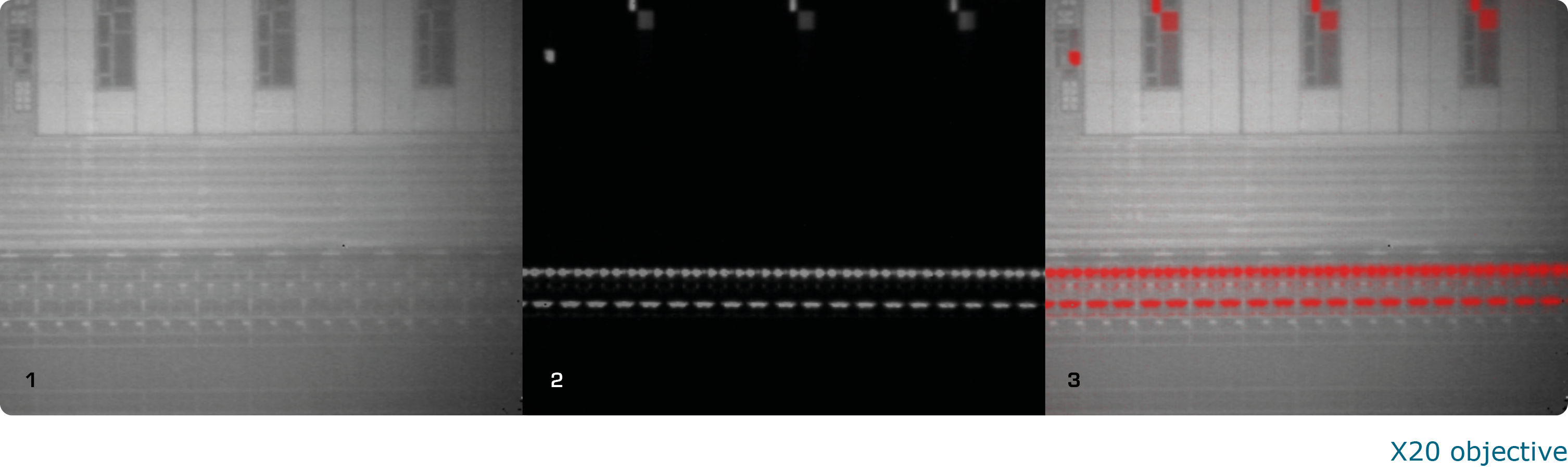
The final photon emission image is obtained as explained here after :
- Standard IR imaging (image 1 below), which allows to view the circuit details through the silicon die back side
- Photon Emission imaging (image 2 below), which permits to view the photonic emissions of circuit components.
You can then overlay the two images to identify the areas of interest (image 3 below). If the user needs a larger photon emission image than the objective field of view, it is possible to scan a larger sample area step by step and to generate a mosaic image.
- Standard infrared imaging through the back side
- Imaging in photoemission mode
- Overlay of the photoemission imaging on the standard view and injection of two spot laser
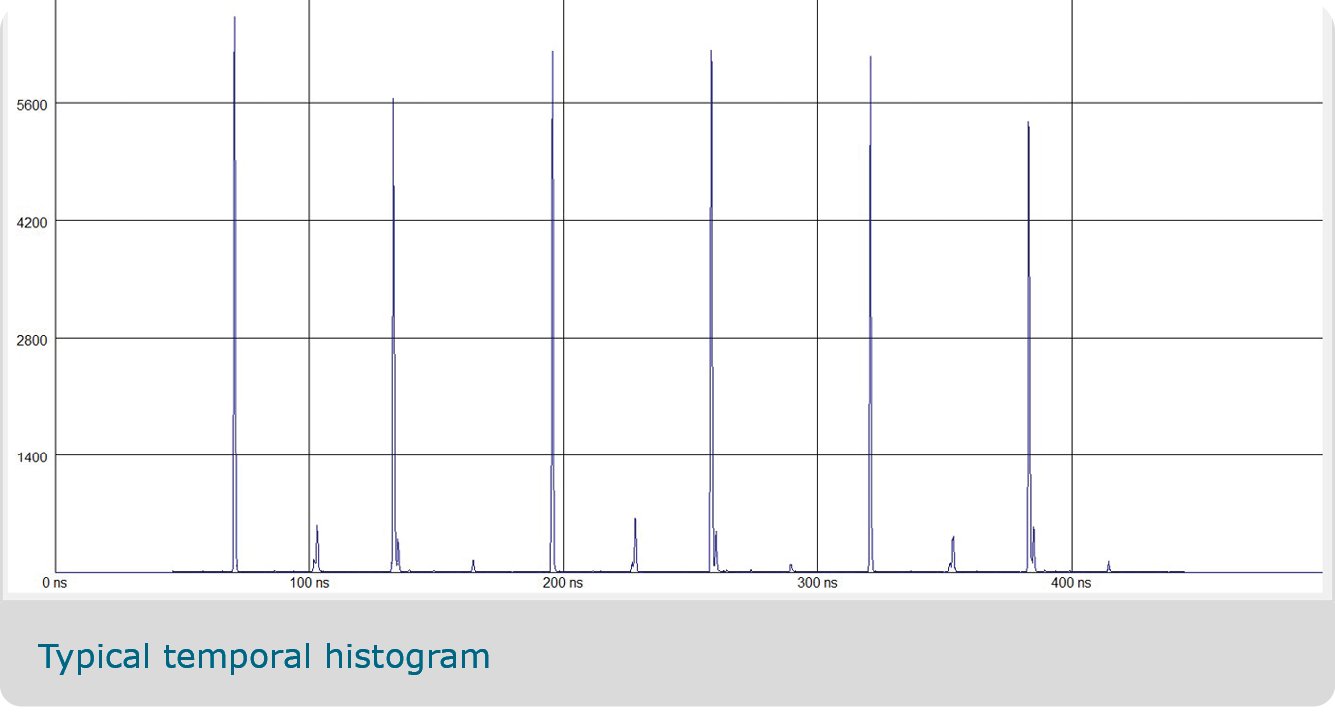 |
Photon CountingThe detection of single photons (photon counting) is based on a high-performance detector coupled to the microscope column. An optical system enables to position an observation spot (~7 µm diameter minimum using x50 objective) in the plane of the observed IC and to collect photons emitted from that spot. At this XYZ position, a temporal histogram is generated by accumulating photons during several instruction loops. By repeating the process at each XYZ position and processing the resulting data, it becomes possible to generate a temporal heat map of the component, revealing the successive stages of circuit activation with a time resolution ranging from a few picoseconds to 250 ps It would include a specific optical column, an infrared lighting, a high sensitivity camera and / or a photon counting detector, high resolution lenses and XYZ motorized stages so it is possible to scan the sample accurately. |
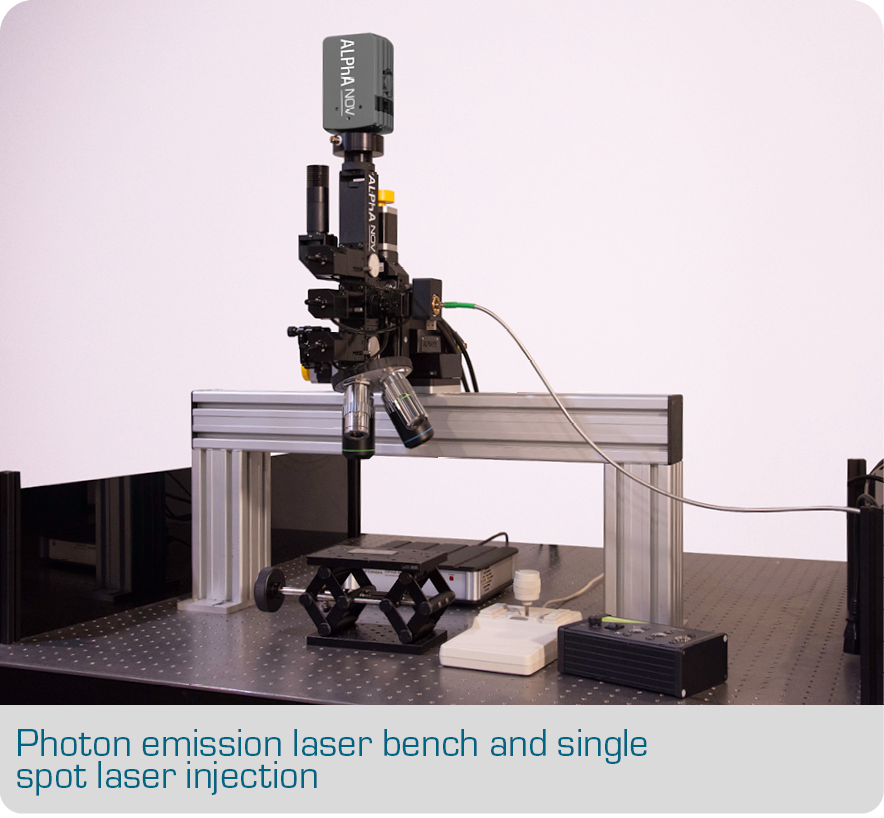
A dedicated bench or a multi-function benchALPhANOV can provide a dedicated photon emission bench only used for this functionality. It includes a specific optical column, an ultra-sensitive camera, an infrared lighting, high-resolution lenses and XYZ motorized stages which enable to scan the sample accurately. ALPhANOV can also implement a "photon emission" functionality on a fault injection bench such as the S-LMS (Single Laser Microscope Station) bench, the D-LMS (Double Laser Microscope Station) bench or a Thermal Laser Stimulation bench. Once the photon emission imaging has been analyzed and the area of interest identified, it becomes easy to perform laser fault injection with the same setup. |
 |
Software dedicated to Photon Emission
ALPhANOV supplies with the photon emission bench a dedicated software enabling to:
- Obtain a standard IR image through the silicon
- Switch automatically to "photon emission" mode to obtain an image of the photon emission of the component
- Scan the sample and implement a mosaic image
We recommend using the esDynamic platform developped by our partner eShard. Compatible with ALPhANOV optical benches, esDynamic is a powerful platform enabling to use notebooks developed in a JupyterLab environment, to implement your own developments, and to summarize and analyze your results. The esDynamic platform is also used for side-channel analysis.

 |
The LMS station are fully compatible with esDynamic Analyst Development platform from eShardesDynamic software platform allows security experts to analyze, attack, pinpoint and refine the security of their products by performing side-channel, white-box cryptography analysis or fault injection. With esDynamic platform, eShard offers dedicated contents in its Hardware Analysis module to drive ALPhANOV equipment and perform precision fault injections attacks. |